Free Local Weather Radar App: What Users Need to Know
Free local weather radar apps have become go‑to tools for anyone wanting a quick glance at incoming rain or storms without opening a full‑featured weather site. Most of these apps pull data from public sources such as the National Weather Service’s radar network, offering real‑time precipitation maps that update every few minutes. While the cost‑free model attracts millions of downloads, users often overlook trade‑offs like ad interruptions, limited customization, and occasional gaps in coverage that can affect decision‑making during severe weather.
How Free Radar Apps Deliver Real‑Time Precipitation
The core of a free radar app is its reliance on publicly available radar feeds. In the United States, the NWS operates a network of Doppler radars that scan the atmosphere every five to ten minutes, producing reflectivity images that show where rain, snow, or hail is falling. Apps tap into these feeds via APIs, overlay the images on a map, and let users zoom to their city or neighborhood. Because the raw data is government‑provided, the basic radar picture is generally accurate and timely, making the free tier sufficient for casual checks like deciding whether to carry an umbrella.
Common Mistakes That Undermine the Experience
One frequent error is assuming the app’s radar updates instantly. In reality, the latency between the radar sweep and the image appearing on screen can range from 30 seconds to two minutes, depending on the app’s refresh settings and server load. Users who base split‑second decisions—such as pulling over during a thunderstorm—on the latest frame may be misled by outdated data.
Another pitfall is ignoring the app’s coverage limits. Free versions often restrict high‑resolution radar to certain regions or zoom levels, reserving the finest detail for paid upgrades. When a storm moves into a poorly covered area, the map can appear blocky or show false clear spots, leading to a false sense of safety.
Finally, many users overlook the impact of advertisements. Ads that appear between radar refreshes can delay the next update or obscure part of the map, especially on smaller screens. While the ads keep the app free, they can distract from critical weather information during fast‑moving events.
Smarter Ways to Get Reliable Local Radar Information
To mitigate latency, choose an app that lets you manually set the refresh interval to the shortest available option—often one minute—and enable push notifications for severe alerts. This way you receive a warning even if the radar image lags.
For better coverage, supplement the free radar with a second source such as a local news station’s weather page or the NWS website, which provides raw radar images without any app‑mediated processing. Cross‑checking two views helps spot inconsistencies caused by low resolution or missing data.
If an ad‑free experience is important, consider the app’s premium tier or a different free service that offers optional ad removal through a one‑time purchase. Many users find the modest cost worthwhile when traveling frequently or relying on radar for outdoor work.
Lastly, keep the app’s permissions limited to location only when needed. Granting constant background access can drain battery and may not improve radar accuracy, since the data comes from centralized servers rather than the device’s sensors.
By understanding how free radar apps source their data, recognizing where they fall short, and applying a few practical adjustments, users can enjoy the convenience of real‑time weather insights without being tripped up by common oversights.
Dawn From Total Drama: Revenge Of The Island Costume Guide | Carbon Costume
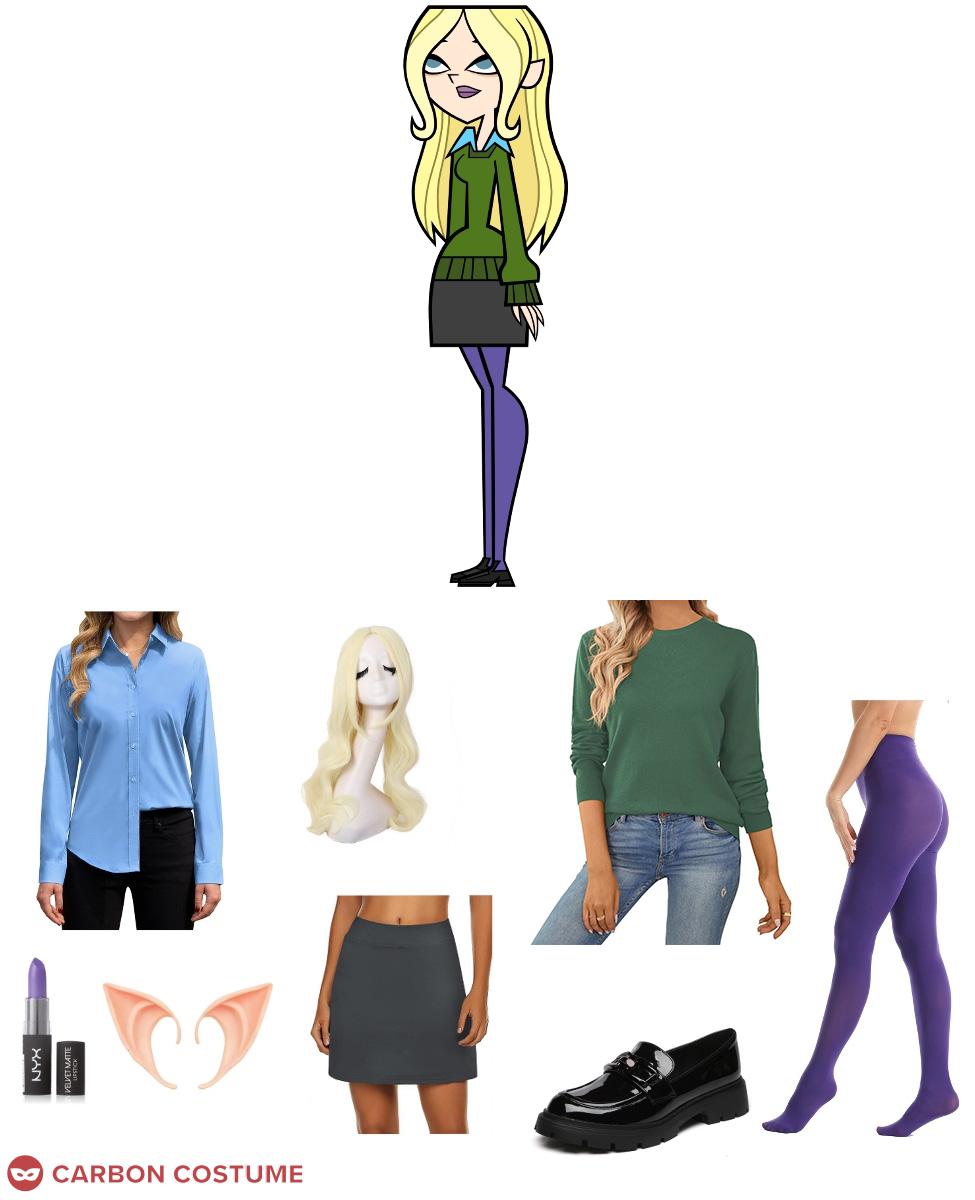
Dawn from Total Drama: Revenge of the Island Costume Guide | Carbon Costume
Total Drama Swimsuit Series 1 Dawn By Allie77271 On DeviantArt

Total Drama Swimsuit Series 1 Dawn by allie77271 on DeviantArt
Dawn Swimwear Ref By Flashlight237 On DeviantArt

Dawn Swimwear Ref by Flashlight237 on DeviantArt
Explore The Best Dawntotaldrama Art | DeviantArt

Explore the Best Dawntotaldrama Art | DeviantArt
Dawn Swimsuits By Codylake On DeviantArt

Dawn Swimsuits by codylake on DeviantArt